It’s important and an easy engagement win to celebrate work anniversaries and birthdays across the organization. And you can generate a zillion ideas with AI or web searches — we’ve also put together 24 work anniversary celebration ideas from a CEO who did it at scale. But — by far — the simplest and most effective thing you can do is to just pass a nice, thoughtful, personal message to the teammate. And now, CultureBot can help.
We’re excited to officially launch our virtual celebration cards feature. Now you can combine the power of CultureBot’s automations with the human touch, helping organizations automatically collect personal messages from teams and team members, and sharing virtual cards with the celebrating employee.
CultureBot handles everything for you. It sends the cards to recipients and messages the “celebrates.” When the time arrives, it showcases all the submitted cards in a rotating display. Use this to make their special days even more special ✨ Let’s dive into how it works below…
How to Set Up Virtual Celebrations
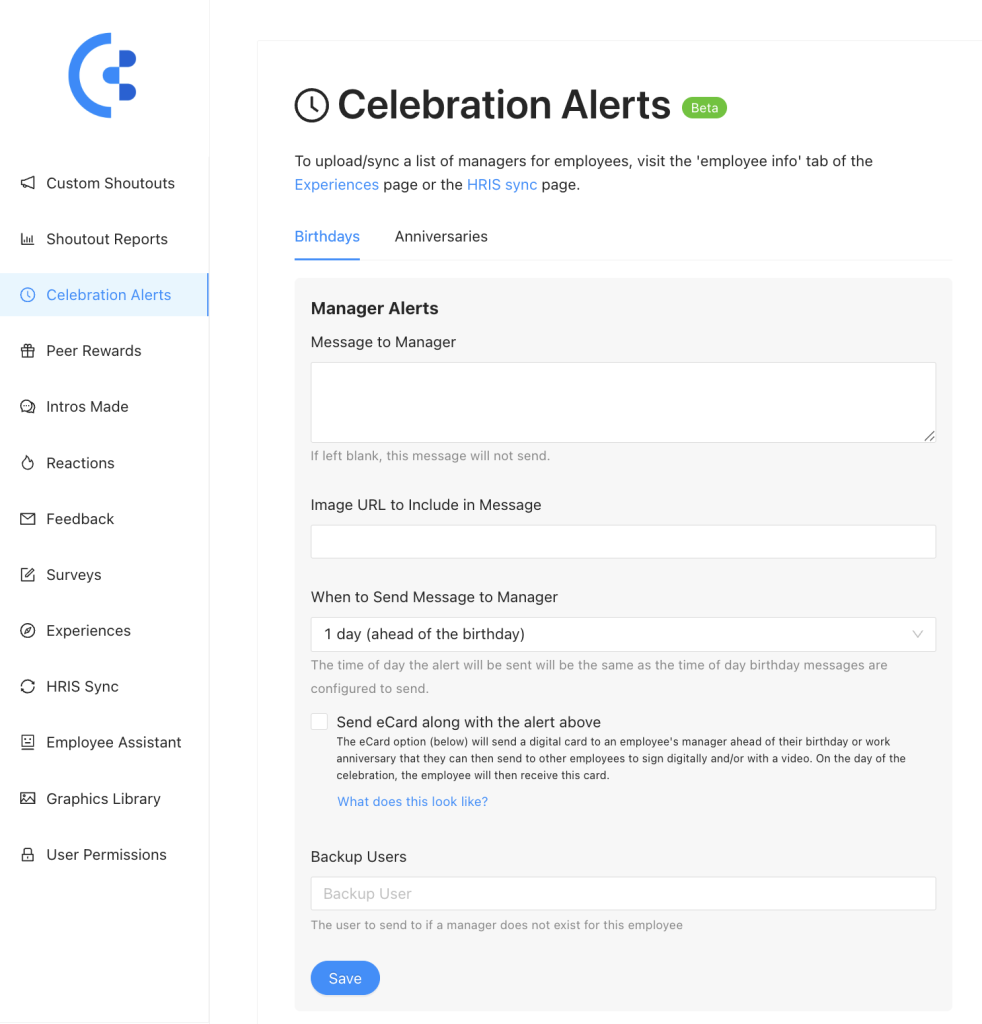
First things first, visit either the birthday celebration section of the Slack app or the work anniversary module.
To set up alerts for managers, scroll down to the bottom. Select the button labeled ‘Manager Alerts.’ Here, you can create alerts for upcoming birthdays and work anniversaries. You also have the option to include a celebration card.
You will go to a section of the web app. Here, you can set alerts for both managers and employees.
For managers, this will message them with whatever message you add below at the set number of days before an actual celebration occurs.
Check the box for ‘send eCard along with the alert above’ it will also send the manager of the person being celebrated a link – this is the link managers will then share with all of their reports on their team who work directly with the person being celebrated.
Anyone who has the link can fill out a virtual card that will then be shared with the “celebratee” on their special day.
If you don’t have managers setup in the CultureBot system, you can instead opt to send a message to a specific backup user or users (for example, someone on the People Experience or HR team).
To setup managers, you can visit the ‘experiences’ tab of the web app below, and click on the ’employee pairings & info’ tab.
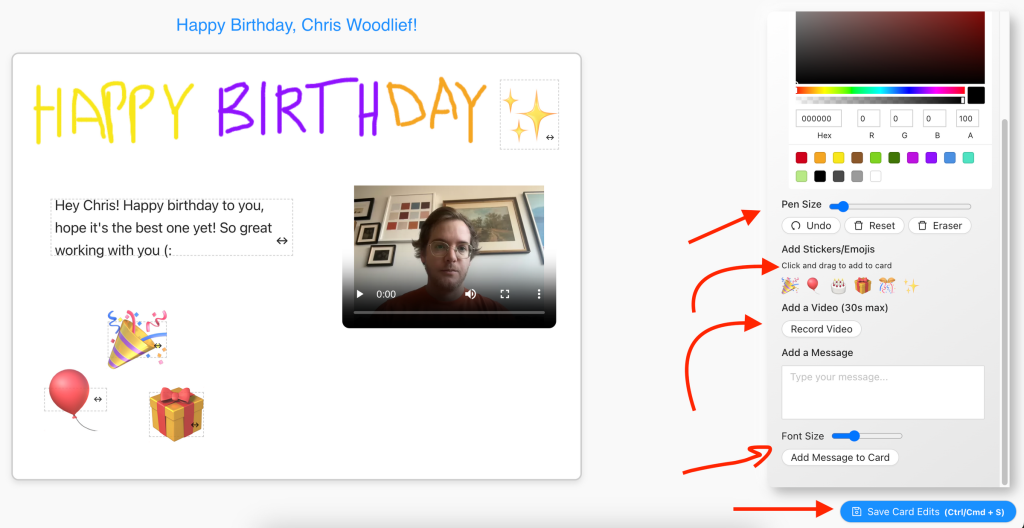
When an employee/user receives an eCard link from their manager, the People team, or another teammate – they will see a screen like you see above. Here, they will have options to draw directly onto a blank canvas – the celebration card itself. They can choose to draw in different sizes, different colors, add and resize emojis on the card, add a video, as well as a text/message. To save, they can click CMD + Save on the page, or click the blue button in the bottom right below. They can make edits to the card up and until the special day itself happens.
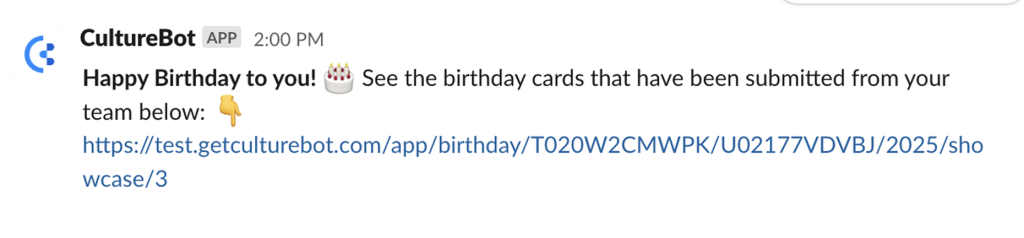
When the birthday or work anniversary actually happens, the employee(s) whose special day it is will receive a little notification directly from CultureBot that looks similar to the message you see here.
You can view the showcase of virtual cards through the provided link. Everyone who submitted a card will have their message displayed in this rotating showcase. Employees can visit the link anytime to view the cards again.