CultureBot’s August Product Recap
New features, easier data imports, and more reliable rewards
We shipped a handful of updates this summer, from new controls for Peer Rewards to a refreshed home screen and easier ways to get employee data into CultureBot. Here’s a quick rundown of what’s new, and where to go for the full details.
See More of the Story on Every Employee Profile
Two new additions to employee profiles, both accessible from the Employee Directory. Culture Summaries give you a brief, AI-generated summary of an employee’s shoutouts over time, so you can see the story behind their recognition at a glance instead of scrolling through history. Shoutout Badges highlight recognition directly on the profile, giving credit a visible, permanent home rather than letting it disappear into a feed.
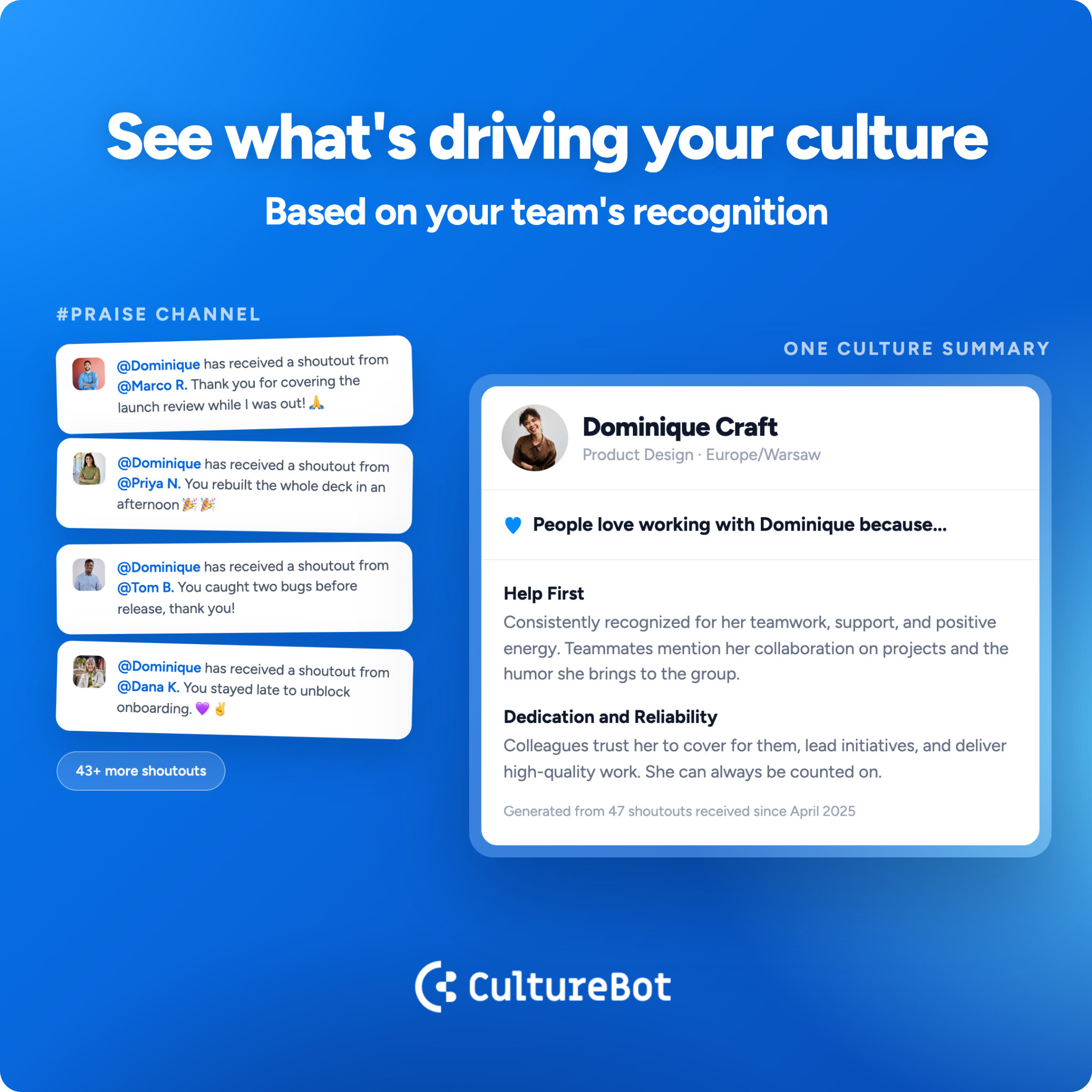
• Culture Summaries: an AI-generated summary of an employee’s past shoutouts, found on their profile
• Shoutout Badges: recognition earned from shoutouts, displayed on the employee’s profile
• Both are accessible through the Employee Directory
• Opening the web app now takes everyone, admins and members, straight to their own profile, and the Directory moves up in the nav with card view as the default
Easily Customize Your Own Trivia and Watercooler Content
If your team has inside jokes, department history, or onboarding trivia that a generic question bank will never capture, you can now import your own custom trivia questions directly into CultureBot. The same goes for Watercooler: you can import custom conversation packs, so prompts can reflect your team’s actual interests instead of a one-size-fits-all list.
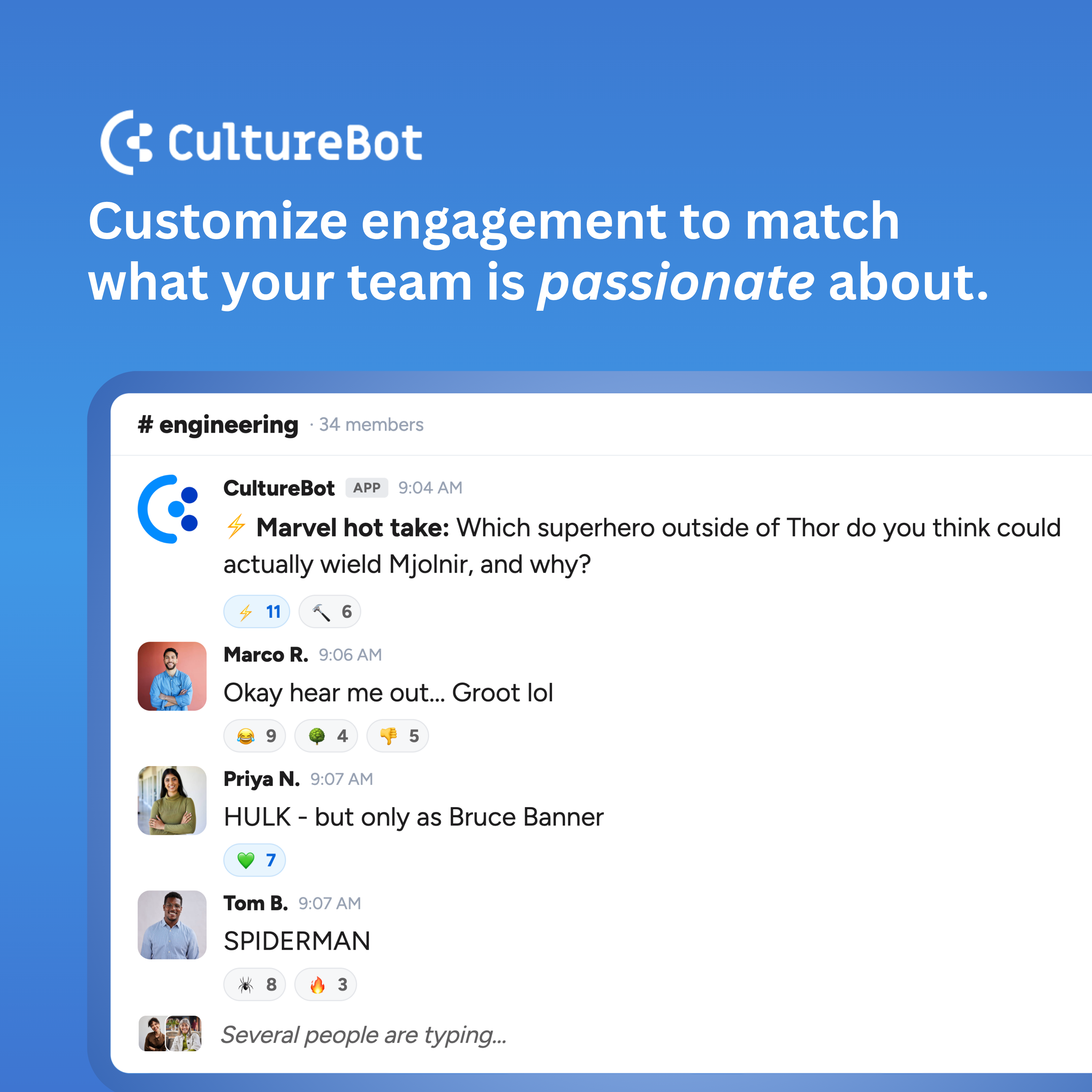
• Import your own trivia question sets
• Import custom Watercooler conversation packs
• Mix custom content with CultureBot’s built-in libraries
Peer Rewards: New Controls and More Reliable Delivery
The biggest update to Peer Rewards this month: admins have always been able to set team-wide monthly, daily, and per-shoutout giving limits, but now they can add overrides for specific people on the team.
Check out our new Peer Reward Override feature for more on how to set employee specific giving limits. This is a great way to enable managers, executive leaders, ERG leads, and HR teams with the power to reward more in peer reward points.
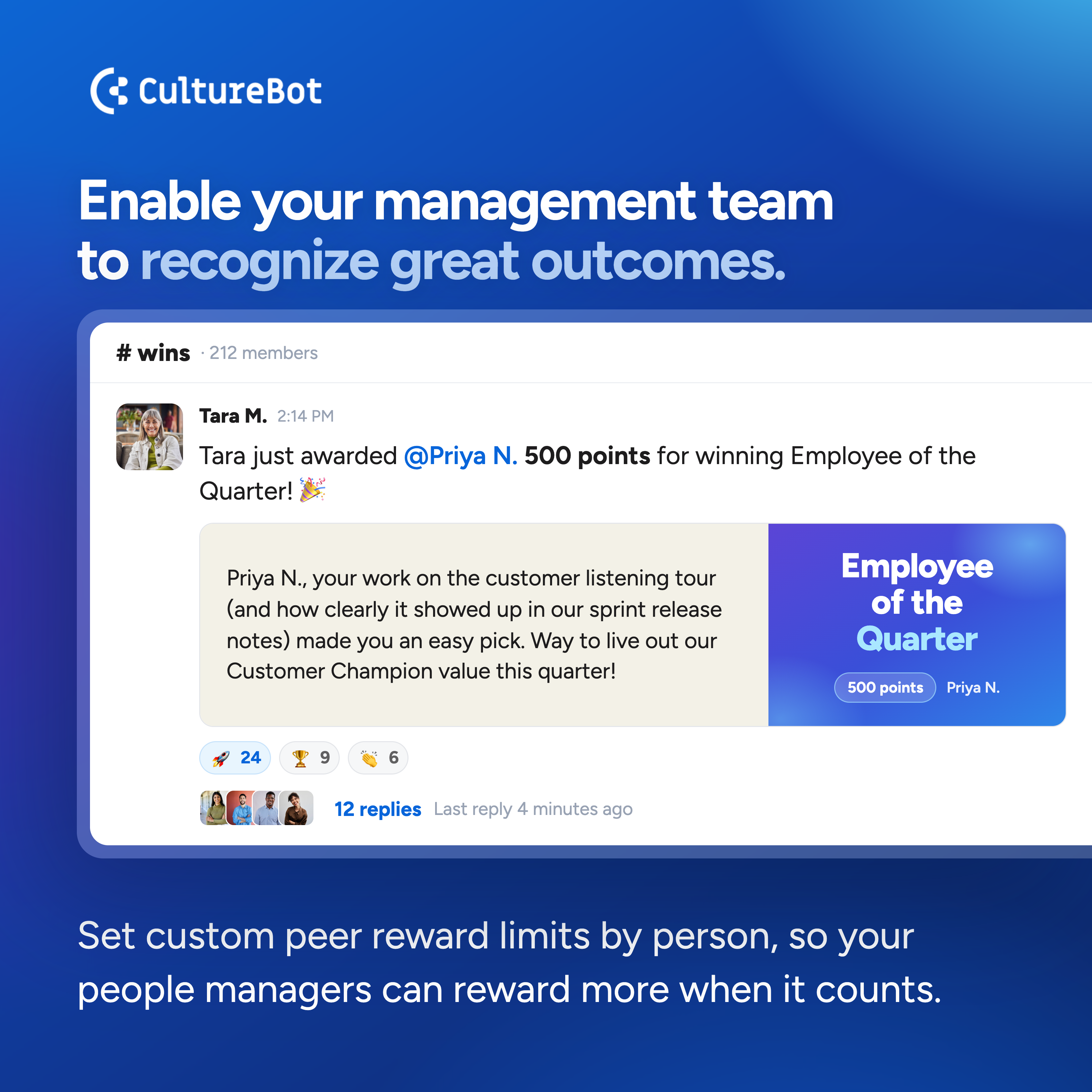
More Updates to Peer Rewards
• See your Tango balance in the app and designate an admin to handle refills
• Gift card redemptions now send both an email and a Slack message to the recipient
More Ways to Get Employee Data Into CultureBot
Accurate employee data (birthdays, anniversaries, department, title, location, and manager) is what powers CultureBot’s celebrations and reporting behind the scenes. This month we added more ways to keep that data current, so you can pick whichever fits how your team already works.
• Import employee data directly in your account with our new import feature
• Use our API to import employee data programmatically from your HRIS, ideal for technical teams managing data and security at scale
• Connect your HRIS for automatic syncing
These are independent options. You don’t need to use all three. Pick whichever matches your team’s setup.
That’s everything for August. Have questions about any of these features? Reach out to our team at support@getculturebot.com.
Discover More on CultureBot’s Knowledge Base
Find setup guides, feature walkthroughs, and answers to your questions in our Help Center.
Visit the Help Center