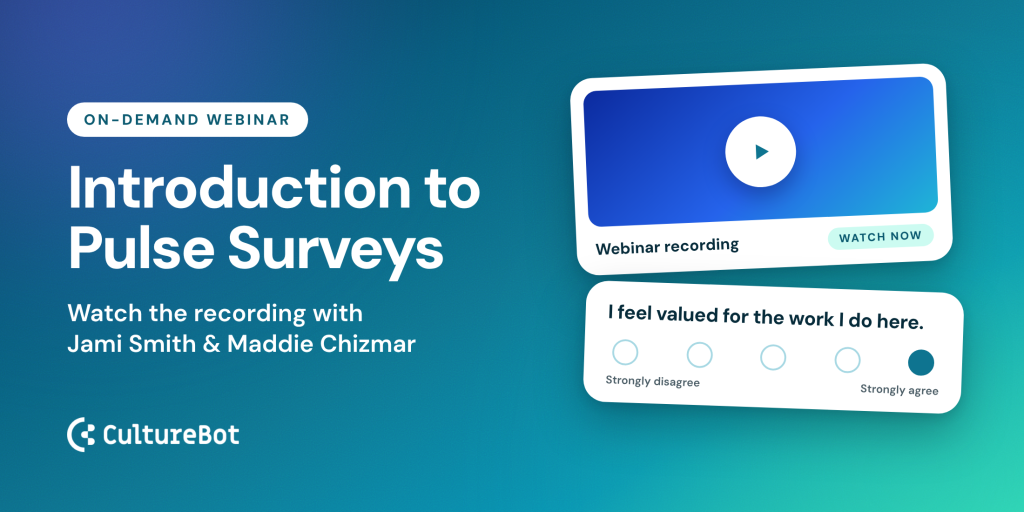
You’d never check revenue once a year. So why check on your people that way? That was the question behind our webinar, See Engagement Pulse Live, hosted by Jami Smith (Culture Strategy) and me, Maddie Chizmar (Customer Success).
In 30 minutes, we showed how an employee pulse survey works inside Slack: what your team sees, how to set up your first pulse, how to read the results, and how to turn anonymous comments into real conversations. The full recording is below, followed by our notes and every link we shared.
Watch the recording
Can’t see the video? Watch it on Vimeo. Want the slides? Download the deck.
Why run an employee pulse survey instead of an annual one
Most companies look at revenue every day. Engagement, which drives that revenue, often gets one survey a year. And the timing couldn’t be worse. Gallup reports that U.S. employee engagement has fallen to 29%, its lowest level since 2011. A Visier survey found that 47% of employees feel pressure to hold back feedback, even when they’re asked for it.
When people disengage, some quit quietly, some quit loudly, and some stay and check out. That last group is the hardest to spot, and it shows up in customer experience, product quality, and growth. Annual and twice-a-year surveys have a hard time catching it, for five reasons:
• Length: big surveys often take 20 to 45 minutes, which is a lot to ask of a busy team.
• Timing: you capture the mood of one week, or hear about a problem six months after it started.
• One-way feedback: results get addressed at the group level, and nobody hears back individually.
• Slow cycles: it can take a full quarter to process results and act.
• Masking: a strong company-wide score can hide one team that’s really struggling.
A pulse fixes these by being short, recurring, built into Slack, and ready to act on right away.
What your team sees
Each pulse is a short Slack DM from CultureBot. Nobody has to log in anywhere new.
• 5 statements per pulse, each rated from Strongly disagree to Strongly agree. For example: “My manager recognizes the contributions I make.”
• 98 statements across 10 pillars that rotate, so repeats are rare.
• An optional comment on any statement, on the eNPS question, or on the pulse overall.
• Show my name is off by default. People have to choose to attach their name.
• About once a month, one eNPS question: “How likely are you to recommend working here to a friend?” rated 1 to 10.
It takes about a minute, or two to three minutes with a comment.
How to set it up
Engagement Pulse is available now on the CultureBot Pro plan, under Pulse > Settings in the web app. You can explore every setting without going live. Nothing goes out until you click Start.
• Who gets it: everyone by default, or narrow it by department, location, or specific people. You can also exclude people.
• Schedule: weekly, every 2 weeks, or monthly. Every 2 weeks is the sweet spot for most teams.
• Results channel (optional): a private Slack channel where your exec team, leadership, or HR can see monthly readouts and new comments.
• Reminder (optional): one nudge the day before a pulse closes, only to people who haven’t finished.
• New hires: people join automatically 2 weeks after they’re added, so they’re settled in first.
You don’t have to write a single question. The 10 pillars are Recognition, Voice, Feedback, Management, Team, Growth, Leadership & Direction, Culture & Values, Rewards, and Wellbeing. Statements can’t be edited, which keeps your scores comparable over time.
Before you start, send yourself a test pulse. Test answers never count toward scores. Step-by-step instructions are in Set Up Engagement Pulse.
How to read your results
The Results page opens on three numbers, each with an arrow comparing it with 30 days earlier:
• Engagement: the average of your 10 pillars, on a 1 to 10 scale. Your quickest read on overall health.
• eNPS: a score from -100 to +100.
• Participation: the share of people who answered, shown by department. Names are never listed.
Open any pillar to see the statements behind its score. Pillar trends cover the past 90 days or 6 months, so you can see what’s improving and what’s slipping. In the webinar example, Wellbeing had dropped since April while Recognition was climbing, and the Wellbeing statements pointed straight to workload, breaks, and flexibility.
eNPS in one minute
Detractors answer 1 to 6, passives 7 to 8, and promoters 9 to 10. Your score is the percentage of promoters minus the percentage of detractors. Most companies land around +15 to +40, and above +30 is strong. Watch your trend and the comments as closely as the number.
More detail: Read your Engagement Pulse results, How eNPS is scored in Engagement Pulse, and our guide to what counts as a good eNPS score.
Privacy and who sees what
Privacy is built in, and it’s worth telling your team about it when you launch. Names stay hidden unless people choose to share them.
| Rule | What it means |
|---|---|
| 5 answers | No score shows for a group until 5 people have answered. Departments with fewer than 5 people stay hidden. |
| 8 answers | Needed for sensitive topics like pay, stress, and wellbeing. |
| 10 answers | Needed company-wide before most scores appear at all. |
Tip for small teams: group a few small departments together, such as HR, IT, and Facilities as “People Services.” You’ll reach the threshold and still get a useful read.
• Full admins see all results, comments, trends, and department filters. They can reply to comments and export a CSV of scores by department. Names are never included.
• Results channel members can read the monthly readouts and comments (if you include them), but they can’t reply. That’s on purpose: leaders get visibility, and replies stay with the people responsible for following up.
Turn anonymous comments into a conversation
This was the favorite part of the session. Any full admin can reply to an anonymous comment from the Comments tab. The employee gets your reply as a Slack DM, sees your name, and can answer back. You never see who they are. The thread can go back and forth as long as it needs to, and several admins can join.
Jami shared three habits that make these conversations work:
1. Reflect back what you heard
Show the person you understood before you respond. It tells them a real human read their comment.
2. Ask before you fix
One follow-up question often changes the answer. Get the full picture first.
3. Close the loop
Tell people what changed. If you can’t act on something, say so and explain why. As Brené Brown puts it, “Clear is kind.”
One practical note: always reply from the Comments tab. Replies typed in a Slack channel thread don’t reach the person, and sent replies can’t be edited. See Read and reply to Engagement Pulse comments and our 5 proven strategies for responding to employee feedback. Want help coaching your leadership team on replies? We’re happy to help.
A simple rollout plan
| Week 1 | Send a test pulse to yourself or your HR team. Confirm recipients and cadence, click Start, and share a launch message with your team. |
| Weeks 2 to 4 | Review results as they come in and start replying to comments. |
| Months 1 to 2 | Share 1 to 3 things you heard with the whole team, and what you’re doing about them. |
That last step builds trust. When people see their answers lead somewhere, participation goes up.
Engagement Pulse FAQ
Is it anonymous?
Yes. For comments, names stay hidden unless someone chooses to share theirs. For scores, admins only see results by department. A department’s scores appear once 5 people have answered, or 8 for sensitive topics.
How often should we send it?
Every 2 weeks is a good start. Choose weekly for a faster read, or monthly if your team is small.
Will people get survey fatigue?
Each pulse takes about a minute, statements rotate, and the reminder only goes to people who haven’t finished.
Can I add my own questions?
Not today. The statement bank is fixed so your scores stay comparable over time. For ideas you can use elsewhere, see our list of 30 pulse survey questions.
Which plan includes Engagement Pulse?
Engagement Pulse is included in the CultureBot Pro plan. New to CultureBot? See pricing here.
Every link from the webinar
Strategy
• 30 pulse survey questions
• 5 proven strategies for responding to employee feedback
• What is a good eNPS score?
• Webinar slide deck
Get started
• Set Up Engagement Pulse
• Read your Engagement Pulse results
• Read and reply to Engagement Pulse comments
• How eNPS is scored in Engagement Pulse
Launch your first pulse with us
Book 30 minutes with Jami or me. We’ll walk through your settings, send a live test, and plan your rollout together. Not a CultureBot customer yet? We’d love to show you around too.