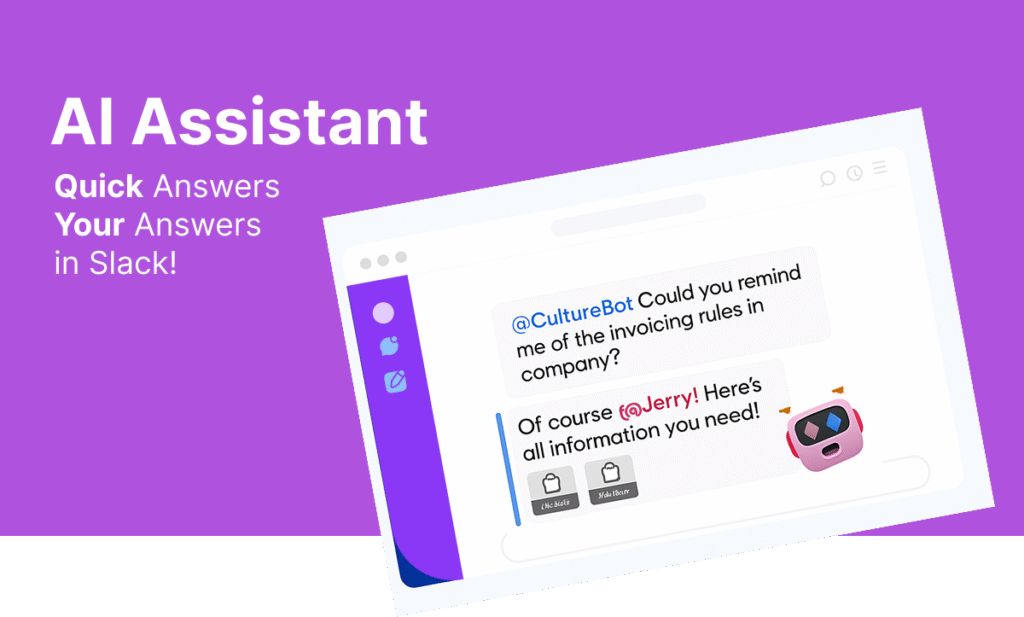
Employees waste hours every week hunting for answers. From HR policies and IT requests to project rules, company values, company goals, and more — finding the right information often requires Slack messages, emails, or endless browsing of internal docs.
That’s where the AI Employee Assistant for Slack comes in—your team’s always-on knowledge companion, designed to give instant, accurate answers right where work happens.
Generative AI can provide a huge helping hand here. Trained on documents that you provide it, you can now give your teams more time back by becoming the front line agent answering questions employees have about this sort of information.
At CultureBot, we believe in three pillars of culture: Celebrate, Connect, Communicate. The AI Employee Assistant fits squarely in the “Communicate” pillar—helping teams communicate better by making information accessible, searchable, and useful.
What is a Slack AI Assistant?
The AI Employee Assistant is an intelligent Slack bot that answers employee questions instantly. Unlike a standard FAQ or static intranet, it learns from your company’s own knowledge base, policies, and documents.
Instead of team members asking someone on the team, they just ping the bot and get an immediate answer.
To setup the assistant, visit the CultureBot app inside of Slack and click “Employee Assistant” from the features selection dropdown. From here, you can click ‘train assistant’ to then begin uploading the documents you’d like to train the bot on (to respond to employee questions). Please note that all documents are securely stored and encrypted, can be fully deleted without delay from our servers at any time, and are not saved on third-party LLM provider servers.
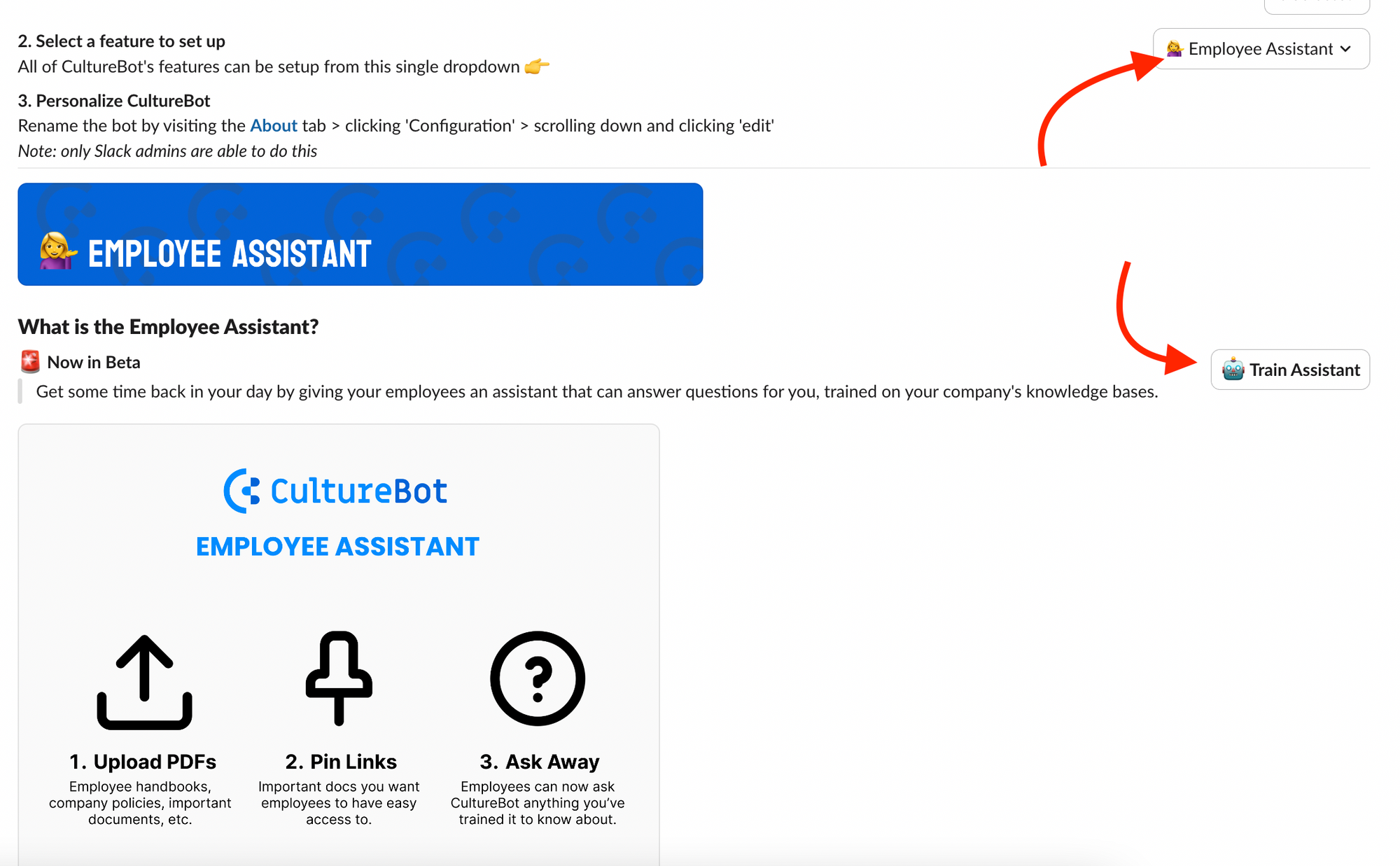
From here, you will be taken to the CultureBot web portal where you can begin to upload any documents (PDF format only to begin with) that you want the bot to be trained up on.
When an employee asks the bot a question, the bot will only have access to the knowledge you provide it.
To train the bot on answering employee questions, you can upload any information you want it to know via PDFs.

How Employees Use The Slack AI Assistant
When employees want to ask HR a question (for example, something related to policies/benefits/handbook information) – they can simply visit CultureBot and at the top of the app in Slack they will see a button to ‘ask question‘.
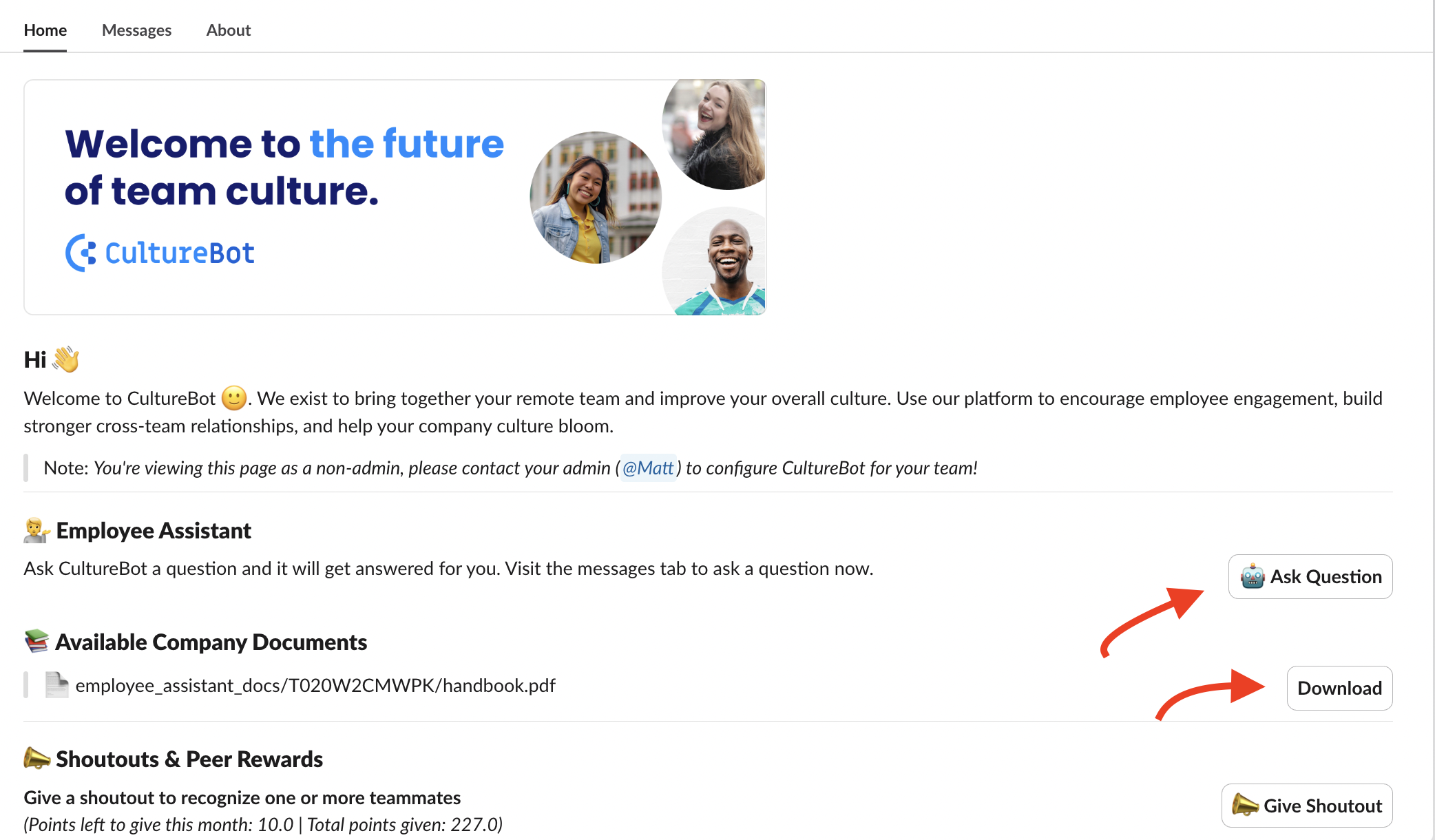
The Employee can also download any documents/policies that the company has uploaded to the bot if they want to read the source materials. Companies can hide the training documentation as well.
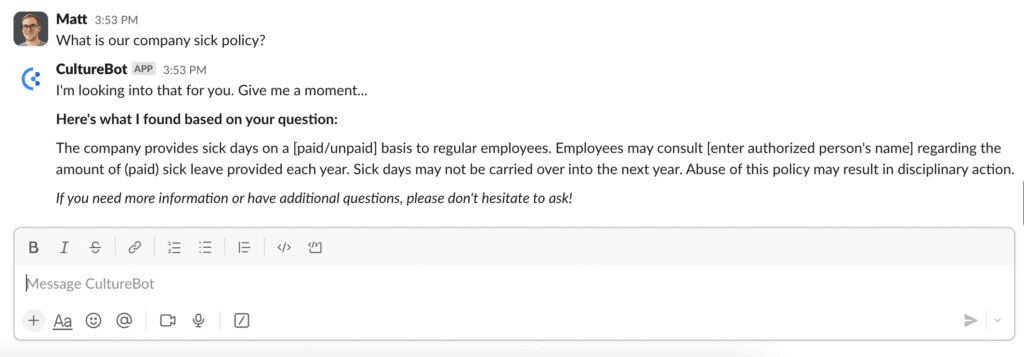
An example message is shown below – here we’ve uploaded a handbook and the bot easily understand the question the employee is asking, returning helpful information and saving you and your people operations person valuable time in their day. If the bot does not know the answer because it cannot locate an answer via the documents it has been trained on, it will let the employee know to reach out to the HR/People team and/or CultureBot admins.
Key Features of the AI Employee Assistant
Instant Answers in Slack
Ask a question in natural language. Get the correct answer in seconds. No searching multiple systems or pinging busy coworkers.
Company-Specific Knowledge
Unlike generic AI tools, this Assistant draws from your company’s documents, FAQs, and policies. That means the answers are always relevant and on-brand.
Secure & Private
All responses respect your Slack permissions and data boundaries. Sensitive content stays restricted.
Contextual Recommendations
Beyond simple answers, the Assistant can suggest related resources, like “Here’s the travel expense form” or “Click here to request approval.”
Customizable Training
Admins can upload knowledge sources, edit responses, and continuously improve accuracy.
FAQs about Slack AI Assistant Bots
What is the AI Employee Assistant for Slack?
The AI Employee Assistant is a Slack-native bot that instantly answers employee questions about your company’s policies, procedures, and internal knowledge. It pulls from your own knowledge base, making answers accurate and context-specific.
How does the AI Assistant work?
Employees can ask questions in Slack using natural language. The Assistant retrieves the right answer from your uploaded documents, HR policies, IT guides, and other knowledge sources, providing quick and reliable responses without leaving Slack.
What kind of information can the AI Assistant answer?
The Assistant can answer questions about HR policies, PTO, benefits, IT troubleshooting, onboarding steps, compliance guidelines, project templates, and much more. It’s customizable, so you can train it on the knowledge most relevant to your team.
How is this different from using Slack’s built-in search?
Slack search can surface documents and messages, but employees still have to dig through results. The AI Employee Assistant delivers direct answers—not just links—making it faster and more user-friendly.
Is the AI Assistant secure
Yes. The Assistant respects Slack’s existing permission structure. Sensitive content is only shared with employees who have access rights, ensuring company information stays protected.
Can I customize the AI Assistant?
Absolutely. Admins can upload new knowledge sources, refine answers, and configure how the Assistant responds. This ensures the Assistant reflects your company’s tone, policies, and priorities.
How do I set up the AI Employee Assistant in Slack?
Setup is quick. Install CultureBot in Slack, enable the AI Assistant from the Home tab, upload your knowledge sources, and start asking questions. Most teams are up and running in under 15 minutes.